

Know What You Have, Where It Is, and Where It Went.
A practical guide to inventory management systems, stock monitoring, warehouse control, branch transfers, reorder levels, inventory movements, audit trails, dashboards, and inventory software for Philippine businesses.
Inventory problems rarely begin with a dramatic system failure. They usually start with small questions: “May stock pa?” “Na-transfer na bala?” “Ngaa lain ang actual count sa Excel?” When staff need to call another branch, search chat messages, compare spreadsheets, or physically check the stockroom just to answer those questions, the business may already need a better inventory management system in the Philippines. The goal is not simply to count products. It is to create reliable visibility over what came in, what moved, what went out, what remains, and who recorded each transaction.
If your system says you have 100 units but your warehouse has only 82, the real problem is not just the missing 18 units. The bigger problem is that management cannot confidently explain where the difference came from.
What Is an Inventory Management System?
An inventory management system records and monitors the movement of products, materials, supplies, or other stock from the time they are received until they are sold, used, transferred, returned, adjusted, or otherwise removed from inventory.
Depending on the business, an inventory system can track multiple warehouses or branches, item categories, quantities, stock movements, receiving, transfers, adjustments, reorder levels, suppliers, users, approvals, transaction history, and management reports.
How to Manage Inventory More Effectively
Give each inventory item a consistent code, description, unit of measure, category, and other important information before transactions begin.
Stock entering the business should be recorded against the correct item, quantity, location, date, supplier, or reference document.
Transfers, issuances, sales, usage, returns, damage, adjustments, and other movements should change the correct location and quantity.
Management should be able to see available quantities by item and location without waiting for somebody to manually consolidate several files.
Reorder levels or alerts can help the business notice items that are approaching a critical quantity before operations are affected.
Physical counts remain important. Differences between actual quantities and system records should be investigated and adjusted through a controlled process.
Use inventory movement, stock-level, adjustment, location, and other reports to identify trends, problems, and operational decisions.
Review recurring discrepancies, stockouts, overstocking, approval gaps, and process weaknesses instead of treating every adjustment as normal.
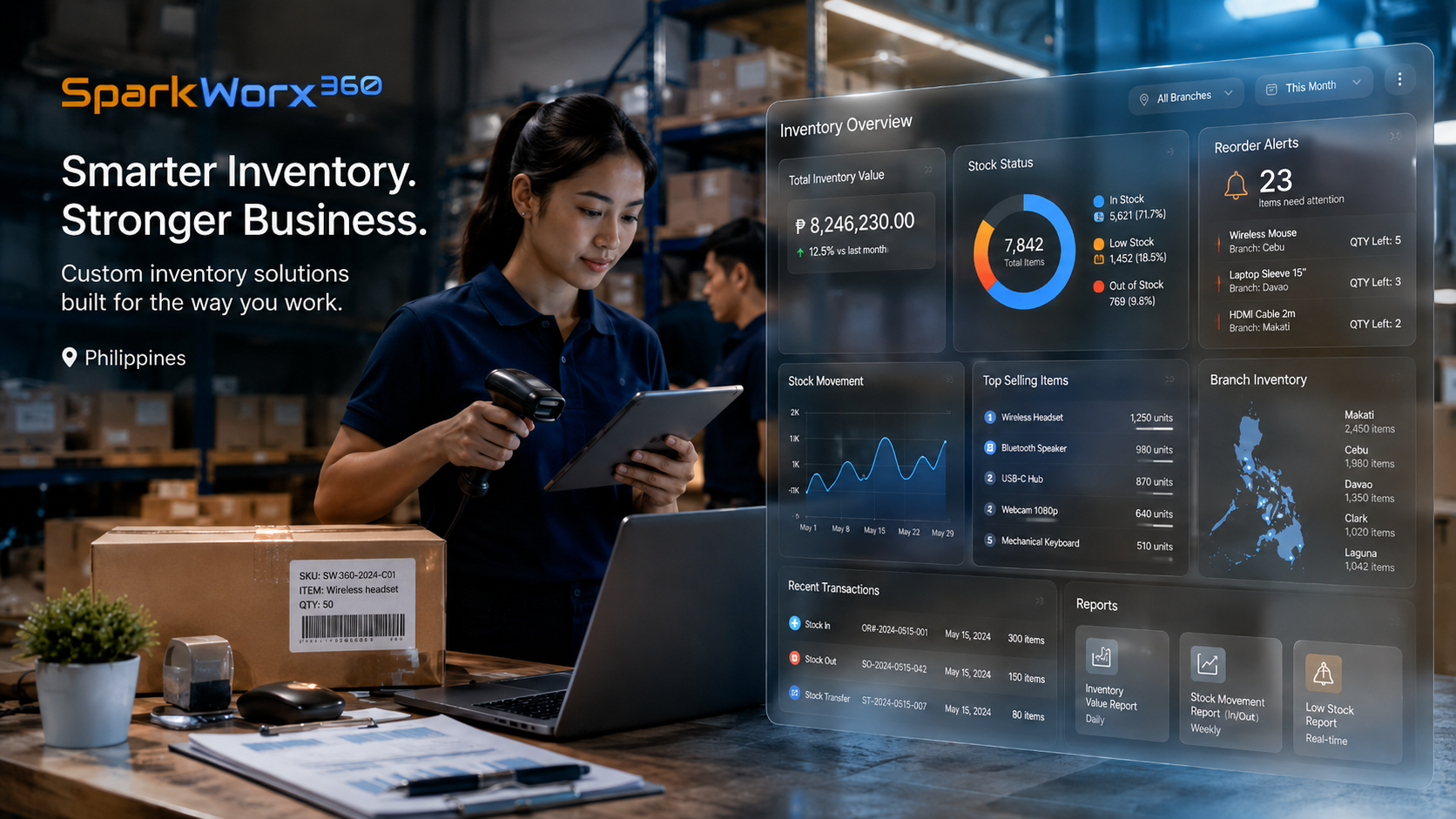
What Should an Inventory Management System Be Able to Do?
Features should match the actual operation. A small stockroom and a multi-warehouse distributor do not need identical systems. Still, several capabilities are useful across many inventory-heavy businesses.
Maintain standardized item codes, descriptions, categories, units of measure, and other product information in one controlled record.
Monitor stock by warehouse, branch, storage location, or other defined inventory point instead of viewing only one combined total.
Record receiving, transfers, issuances, sales, returns, adjustments, damage and other events that change inventory.
Help teams identify inventory that is approaching a defined minimum quantity or requires purchasing attention.
Maintain a history of important transactions and changes so management can review who recorded or approved an action.
Separate viewing, encoding, approving, adjusting and administrative capabilities based on responsibilities.
Give management an easier view of stock status, movement activity, low-stock items, locations and operational exceptions.
Generate useful summaries of stock quantities, movements, transfers, adjustments and other data required by management.
Where technically appropriate, inventory information can connect with compatible purchasing, sales, accounting, ordering, or operational systems.
A System Cannot Fix Inventory Without Good Controls
Software improves visibility, but the physical operation still matters. If staff remove items without recording them, receive deliveries without checking quantities, or use inventory adjustments simply to make balances match, the system will eventually contain unreliable data.
If inventory physically changes location or status, the corresponding transaction should be recorded.
Inventory adjustments should have appropriate reasons, permissions, documentation and review.
Cycle counts and physical inventories help confirm whether system quantities continue to reflect actual stock.
Signs Your Inventory Has Outgrown Excel or Manual Monitoring
Spreadsheets can work well when inventory is small, transactions are limited, and only one or two people update the records. Problems begin when several employees or branches need to transact at the same time, information is encoded after the fact, and nobody is certain which file contains the latest balance.
The business may then experience stockouts even though another branch has available stock, excessive purchases because management cannot see quantities clearly, or unexplained discrepancies that are simply corrected without identifying the root cause.
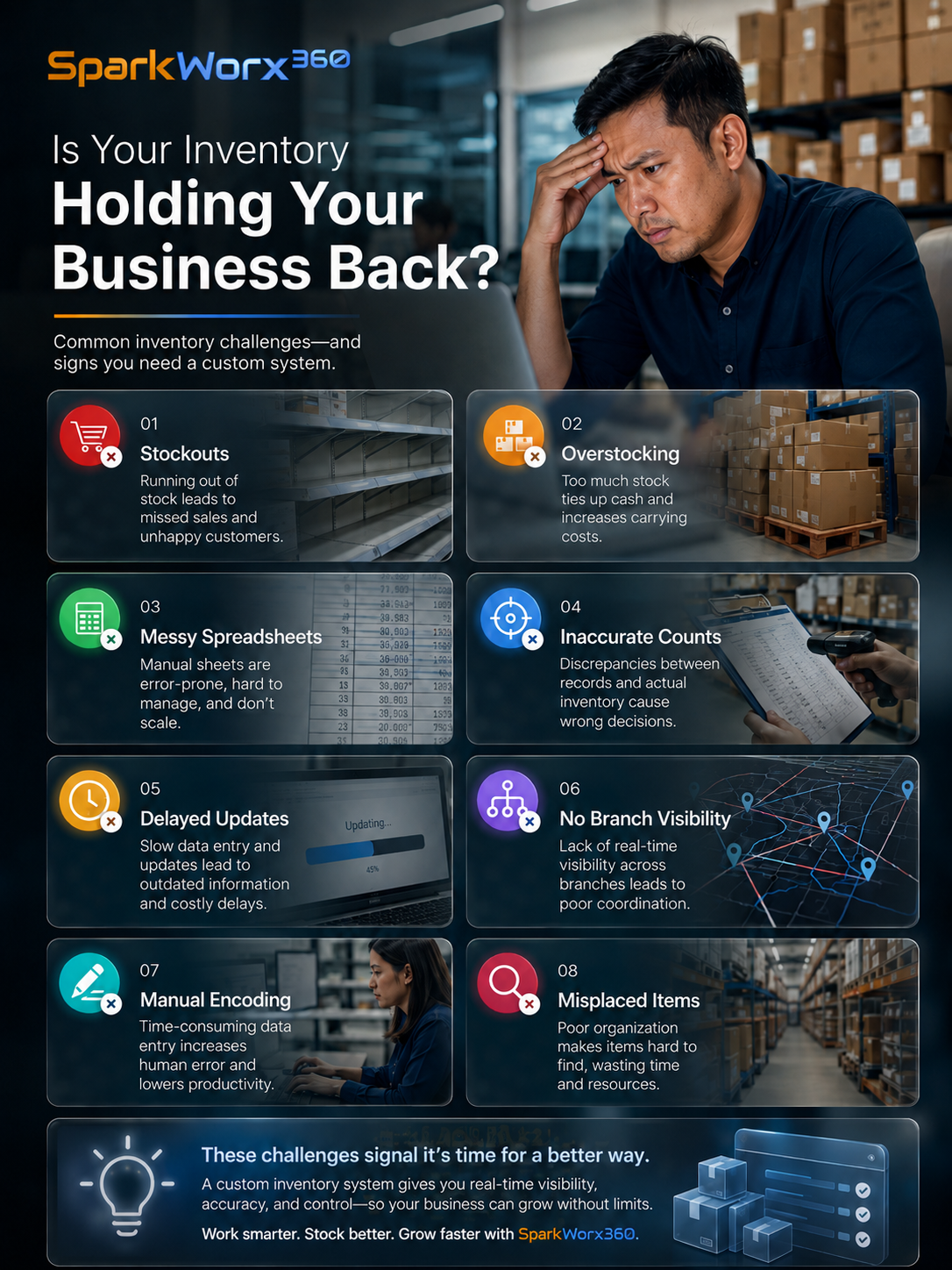
Common Inventory Management Mistakes
Adjusting the system balance without investigating recurring differences can hide process problems, unauthorized movements or poor transaction discipline.
Receiving, transferring, adjusting and approving inventory should have appropriate controls when the operation requires accountability.
A total quantity is less useful when management does not know which warehouse, branch or stockroom physically holds the item.
Periodic cycle counts can help identify discrepancies earlier instead of allowing problems to accumulate for long periods.
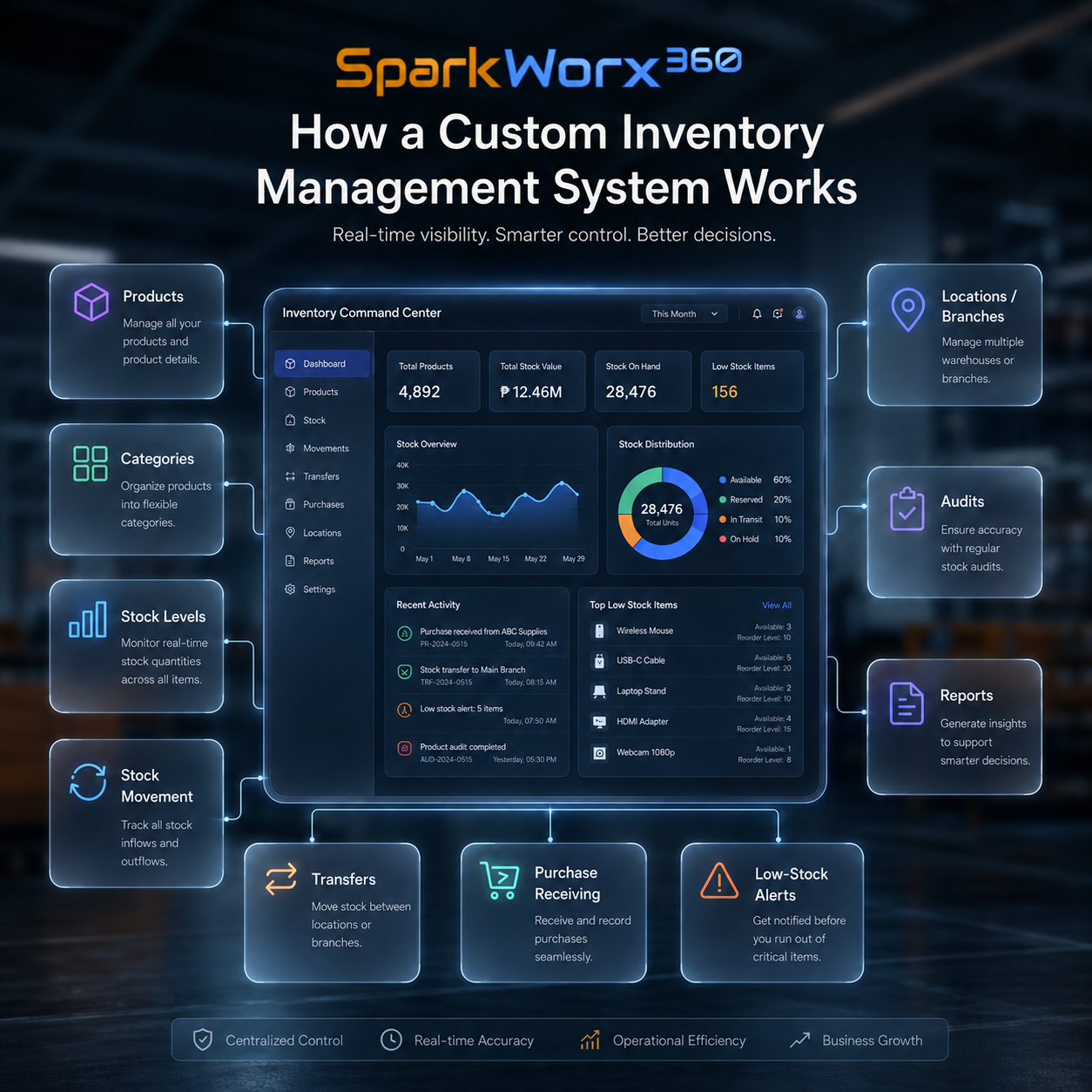
What Should Management Be Able to See?
A useful inventory dashboard should help management answer operational questions without requiring a staff member to prepare a new spreadsheet every time. What is currently available? Which items are low? Where is the stock located? What was transferred? Which quantities were adjusted?
The exact reports depend on the business, but the principle is simple: inventory information should help people make decisions while the information is still useful—not several days after the transaction happened.
Build an Inventory System Around How Your Stock Actually Moves
SparkWorx 360 can help businesses review their inventory workflow, identify control gaps, define system requirements, and implement an appropriate digital inventory solution. Depending on the engagement and technical requirements, this can include inventory modules, dashboards, branch and warehouse tracking, approval workflows, reports, integrations, or a more customized inventory application.
Inventory can affect purchasing, sales, operations, fulfillment, accounting, cash flow and customer service. An item received by the warehouse may create a supplier obligation. A sale reduces inventory. A transfer changes the location but not necessarily total company stock. Damaged or missing goods may require investigation and financial treatment. Connecting these processes helps reduce duplicate encoding and inconsistent information.
Which Businesses Can Benefit From an Inventory System?
Inventory management is relevant far beyond retail. Philippine businesses dealing with merchandise, ingredients, raw materials, supplies, spare parts, medical products, equipment, packaging, or other controlled stock can eventually need better visibility as transactions and locations increase.
Monitor stock by branch, review transfers and improve visibility when the same products are stored or sold in several locations.
Track ingredients, supplies, packaging and other inventory where frequent movement and consumption make manual monitoring difficult.
Manage larger item catalogs, receiving, warehouse quantities, transfers, releases and operational reports across several locations.
Monitor medicines, consumables, equipment, supplies or other controlled items even when the business does not sell traditional retail merchandise.
Inventory Software Can Be One Part of a Larger Business System
Businesses requiring specialized inventory logic, multiple modules, unique user roles or deeper operational integration can also review our Custom Software Development Bacolod service. If the main issue is repeated manual work rather than the inventory application itself, see Business Automation Bacolod .
Companies still determining why inventory problems keep happening may also benefit from a wider Business Consulting Bacolod assessment before deciding which technology to implement.
System complexity and pricing can vary based on item volume, number of warehouses or branches, transaction types, users, permissions, approval workflows, barcodes, reporting, integrations, historical data migration, custom calculations, and other operational requirements. Features such as batch, lot, serial-number, expiry-date, manufacturing, or specialized warehouse workflows should be evaluated individually when required.
Frequently Asked Questions About Inventory Management Systems in the Philippines
What is an inventory management system?
An inventory management system records stock and its movements so a business can monitor quantities, locations, receiving, transfers, issuances, sales, returns, adjustments and other inventory transactions.
When should a business stop using Excel for inventory?
Excel can remain useful for simple operations. A dedicated inventory system becomes more attractive when several users or locations need simultaneous access, transactions are increasing, stock discrepancies are difficult to investigate, or reporting requires too much manual consolidation.
Can an inventory system track several branches?
Yes. Depending on the system design, stock can be monitored separately by branch, warehouse or other locations while still providing consolidated management information.
Can inventory software connect with accounting or sales systems?
Potentially. Integration depends on the systems involved, available interfaces, required data, security considerations and technical feasibility. The appropriate integration should be assessed before implementation.
Can SparkWorx 360 provide a customized inventory management system?
Depending on the requirements, SparkWorx 360 can help assess inventory workflows, define system needs and coordinate an inventory solution covering areas such as stock tracking, multiple locations, movements, permissions, dashboards, reports, workflows and integrations.
Stop Guessing What Is in Stock. Build Inventory You Can Actually Trace.
If your business relies on several inventory spreadsheets, stock differences are difficult to explain, branches need better visibility, or management spends too much time asking where inventory went, talk to SparkWorx 360. We can help assess your current process and determine the inventory system, controls, reporting, integrations, or customization your operation actually needs.


